

Whole-Home vs Critical-Loads Battery Backup: Which Do You Need?
Straight answer: the choice usually comes down to one electrical-code rule. For backup that connects automatically, the 2023 National Electrical Code — the base of California’s electrical code since January 2026 — requires the source to carry the full load it connects, unless an energy management system sheds loads. A critical-loads panel meets that by connecting only the essentials. Whole-home backup meets it with a battery system that can carry the house, or with load shedding. Central air and EV charging are what usually tip the decision.
Get a free estimate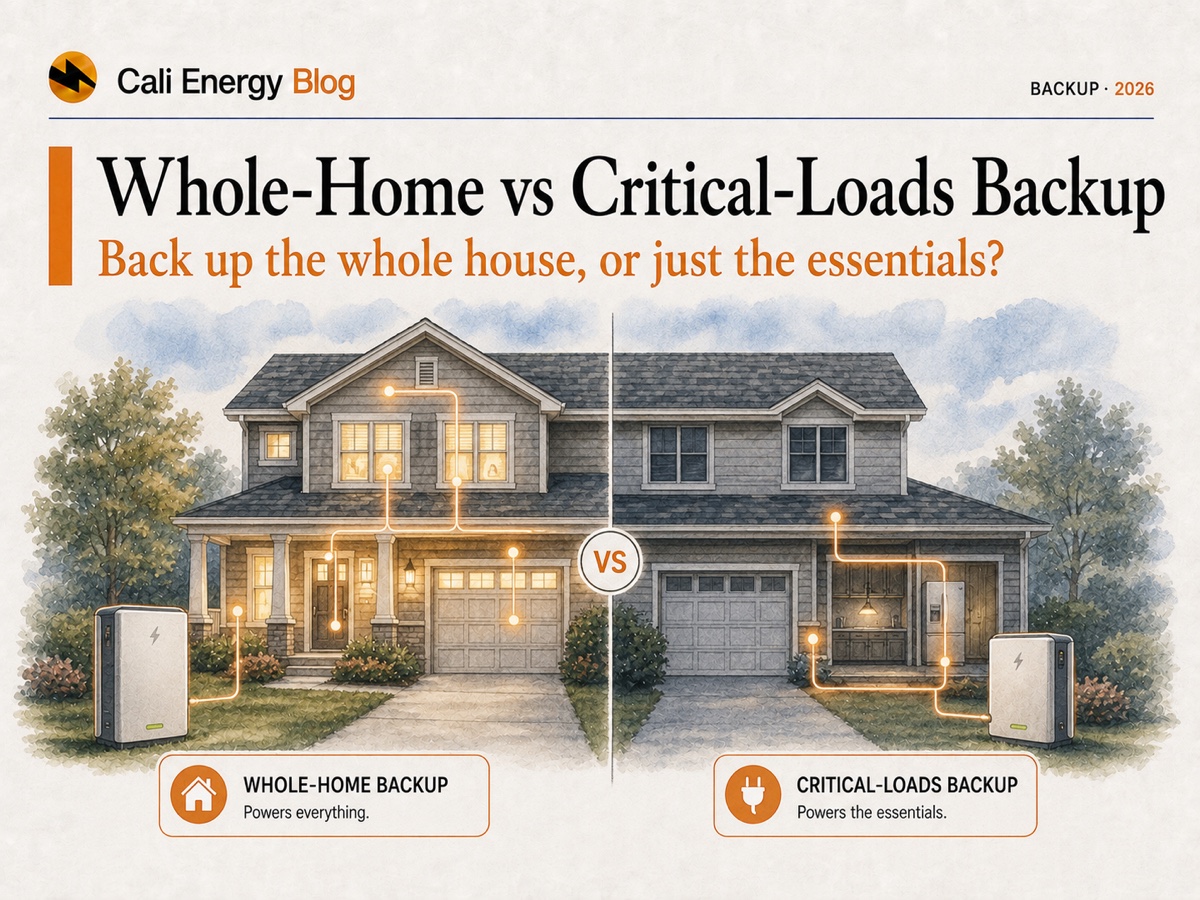
- Backup scope is a code question: an automatically connected backup source must supply the full load it connects, or an energy management system must keep the load within its capacity (2023 NEC 702.4(A)(2)).
- Critical-loads backup moves the essentials to a separate backup panel. One 13.5 kWh battery carries 7.2 kWh a day of essentials for about 1.7 days without sun.
- Whole-home backup has to cover what runs at once and start the biggest motor: compare continuous kW and the motor-start (LRA) rating with your loads and the compressor nameplate.
- Central air drains a battery fast: at a steady 4.5 kW, the same 13.5 kWh lasts about 2.7 hours.
- Load management is the middle path — for example Enphase’s IQ Load Controller or FranklinWH’s aGate with automatic load shedding.
Why this is a code question, not just a preference
The National Electrical Code’s rule for optional standby systems with automatic load connection gives two options: the standby source must be “capable of supplying the full load that is automatically connected,” figured by the Article 220 load calculation or another approved method; or, where an energy management system under section 750.30 automatically manages the connected load, the source must cover the maximum load that system will connect (2023 NEC 702.4(A)(2)). North Carolina’s state fire marshal has formally applied this rule to battery systems that back up a home through a transfer switch, concluding that the system may be smaller than the house’s full load only if a properly installed energy management system sheds load (NC OSFM interpretation). California’s 2025 electrical code, in effect since January 1, 2026, is based on the 2023 NEC (California Building Standards Commission); how an inspector applies the rule to a particular design is settled in plan review.
That leaves three practical designs: a backup panel that connects only essential circuits; a battery system whose output covers the whole house’s calculated load; or whole-home transfer with load management. Which one fits depends on the loads you need.
Critical-loads vs whole-home backup, side by side
| Factor | Critical-loads (partial-home) | Whole-home |
|---|---|---|
| What stays on | The circuits moved to a backup panel — typically the fridge, lights, internet, furnace fan, medical devices, some outlets | The main panel |
| How it meets NEC 702.4 | The connected load is limited to what the battery can carry | The battery system covers the full calculated load, or load management sheds loads |
| Equipment examples | Tesla’s datasheet example: Powerwall 3 with Backup Gateway 2; FranklinWH aGate partial-home layout | Tesla’s datasheet examples: Powerwall 3 with Gateway 3 or Backup Switch; FranklinWH aGate whole-home layout (200 A backup load port) |
| Energy example (one 13.5 kWh battery, 10% reserve) | About 1.7 days at 7.2 kWh a day, no sun | About 2.7 hours with central air and essentials at a steady 4.5 kW |
| Motor starts | Small motors only (fridge, furnace fan) | The battery’s motor-start rating must exceed the LRA on the air conditioner’s or pump’s nameplate |
Sources: NEC 702.4(A)(2) · Tesla Powerwall 3 datasheet · FranklinWH aGate datasheet. Energy figures: Cali Energy calculation, as in best home battery for backup.
Critical-loads backup: essentials on a separate panel
The installer moves the circuits you need in an outage — refrigerator, some lights, internet, furnace blower, a medical device, a few outlets — from the main panel into a backup subpanel fed through the battery’s gateway. Everything else stays on the main panel and goes dark with the grid. Because the connected load is small, the battery’s power rating is rarely the limit and its energy stretches: a 13.5 kWh battery holding a 10% reserve covers 7.2 kWh a day of essentials for about 1.7 days with no sun. With solar, recharge during an outage happens only if the system is designed to run off-grid; see why solar shuts off in an outage and batteries for PSPS shutoffs.
Whole-home backup: the battery has to carry the house
Whole-home backup keeps the main panel live, so the battery system must deliver everything that can run at once and start the largest motor. Three published numbers decide it: usable kWh (how long), continuous kW (how much at once) and the motor-start LRA rating (whether the compressor or pump starts). On the datasheets, one Tesla Powerwall 3 delivers up to 11.5 kW and starts motors up to 185 LRA; one FranklinWH aPower 2 delivers up to 10 kW, with 185 A LRA at its 11.5 kVA setting; Enphase’s IQ Battery 5P and 10C deliver 3.84 and 7.08 kVA per unit, with 48 A and 90 A LRA (Tesla; FranklinWH; Enphase 5P; Enphase 10C). The motor’s own figure is the LRA printed on the nameplate of the air conditioner’s outdoor unit or the pump; if the battery’s rating is lower, the motor will not start however many kWh are stored.
Energy runs out faster, too. Central air with the essentials at a steady 4.5 kW empties a 13.5 kWh battery, less a 10% reserve, in about 2.7 hours; compressors cycle, so real time runs longer, but cooling through a long outage takes more storage, more solar or a generator. The same example house run through four battery quotes is worked in best home battery for backup, and panel capacity questions are in do I need a main-panel upgrade.
The middle path: load management
Load management lets a battery back up the whole panel while switching off big, lower-priority loads when it cannot carry everything — the energy management option the code allows. Two examples from manufacturer datasheets: Enphase’s IQ Load Controller, used with the IQ System Controller, controls up to two 240-volt loads or four 120-volt loads during off-grid operation, and a site can use two of them (Enphase). FranklinWH’s aGate lists automatic load shedding and an optional Smart Circuits module with one 80 A and one 50 A 240-volt circuit, or one 80 A circuit and two 50 A 120-volt circuits (FranklinWH). Typical candidates for shedding are an EV charger, a dryer, a pool pump or a second air conditioner. The trade-off: those loads stop during an outage unless the battery has headroom, so decide in advance which ones you can live without.
Check your backup loads
Tick the loads you want running when the grid is down. The tool adds their running watts, compares the total with the continuous ratings on battery datasheets, flags motor loads for a nameplate check, and estimates how long a battery would carry the set.
Backup load builder
What do you want to keep on during an outage?
Method: continuous load = the sum of the ticked running watts, compared with datasheet ratings (Enphase IQ Battery 5P 3.84 kVA, 10C 7.08 kVA; FranklinWH aPower 2 10 kW; Tesla Powerwall 3 11.5 kW). Runtime = nameplate kWh less a 10% reserve, divided by that load. The watts are examples; your appliances’ nameplates give the real figures — the U.S. Department of Energy notes the nameplate wattage is the maximum draw, or amps times volts (DOE). Motor start is checked separately, against the LRA on the nameplate. A licensed electrician’s load calculation confirms the design.
How to decide which one you need
Five questions settle it.
What must run?
List the loads you cannot lose. Fridge, lights, internet and a few outlets point to critical loads; central air, an electric range or an all-electric house point toward whole-home or load management.
What does the nameplate say?
Read the LRA on the air conditioner’s outdoor unit or the pump and compare it with the battery system’s motor-start rating before you choose.
How long?
Essentials on one 13.5 kWh battery: about 1.7 days without sun. Central air on the same battery: hours. Decide which you are buying for.
Can solar recharge it?
Only a system designed to run off-grid refills the battery during an outage; with that, essentials can ride through sunny multi-day events.
What will you add later?
An EV charger, a heat pump or an addition changes the load. Plan the panel and battery count for it now rather than rewiring later.
Two questions we ask first
On our Los Angeles and San Fernando Valley battery jobs the design starts from two questions: do you need air conditioning during an outage? (a power and motor-start question) and how many hours do you want to ride through? (an energy question). In the City of Los Angeles a battery system also goes through LADBS permitting with an LAFD fire review; see solar and battery permits in Los Angeles. Our Northridge installs show what the equipment looks like on real homes.
Bottom line
If the essentials are what you need, a critical-loads panel keeps them running longest on the least battery. If central air, an electric kitchen or an EV charger must run, whole-home backup needs a battery system rated for those loads and motor starts, or load management that sheds them when needed. Start from the loads, then size with the battery sizing calculator and compare equipment in Powerwall vs Enphase vs FranklinWH.
Get a backup plan built around your loadsFrequently asked
Should I back up my whole house or just the essentials?
Start from the loads. If the fridge, lights, internet and a few outlets are what you need, critical-loads backup keeps them running longest on the least battery — about 1.7 days on one 13.5 kWh battery at 7.2 kWh a day without sun. If central air, an electric range or EV charging must run, you need whole-home backup with enough power and motor-start rating, or load management.
What is a critical-loads panel?
A separate backup subpanel holding only the circuits you need in an outage, fed through the battery’s gateway. Limiting the connected load is one way to meet the code rule that an automatic backup source must carry the full load it connects (2023 NEC 702.4(A)(2)).
Why won't my battery start the air conditioner?
Starting a compressor is a power question, not a storage one. Compare the LRA on the outdoor unit’s nameplate with the battery’s motor-start rating: 185 LRA for a Powerwall 3, 185 A for an aPower 2 at its 11.5 kVA setting, up to 90 A for an Enphase IQ Battery 10C and 48 A per IQ Battery 5P. If the battery’s figure is lower, the motor will not start however many kWh are stored.
Can one battery back up the whole house?
Yes, if its output covers the house’s full calculated load and its motor-start rating covers the largest motor, or if an energy management system sheds loads to stay within its capacity — both allowed by NEC 702.4(A)(2). Enphase’s IQ Load Controller and FranklinWH’s aGate are examples of manufacturer load control.
How long will a battery run my central air?
Not long. With the air conditioner and essentials drawing a steady 4.5 kW, a 13.5 kWh battery held at a 10% reserve lasts about 2.7 hours. Compressors cycle, so real time runs longer, but long outages with cooling need more storage, solar that can recharge off-grid, or a generator.
Does whole-home backup need a main panel upgrade?
Sometimes. It depends on the existing panel and service, the equipment and how it connects; the design is checked in plan review. See main-panel upgrades for solar.
Is critical-loads backup enough for a PSPS outage?
For many homes, yes. Essentials at about 7.2 kWh a day run roughly 1.7 days on one 13.5 kWh battery without sun, and a system designed to run off-grid can recharge from solar in daylight. If you also need central air through a multi-day event, plan more capacity or load management. See batteries for PSPS shutoffs.
Related reading
Sources & methodology
Figures on this page come from the primary sources below and, where noted, from Cali Energy calculations using the stated assumptions. Rates, incentives, and program terms change; each was verified September 29, 2026.
- North Carolina OSFM — Formal interpretation of 2023 NEC 702.4(A)(2): full load or energy management system (December 1, 2024)
- California Building Standards Commission — 2025 Title 24 code changes (California Electrical Code based on the 2023 NEC; effective January 1, 2026)
- Tesla — Powerwall 3 datasheet (13.5 kWh, up to 11.5 kW, 185 LRA; whole-home and partial-home configurations)
- FranklinWH — aPower 2 datasheet (15 kWh, 10 kW / 11.5 kVA, 185 A LRA at 11.5 kVA)
- FranklinWH — aGate X 1.1 datasheet (automatic load shedding, Smart Circuits, 200 A backup load port)
- Enphase — IQ Battery 5P datasheet (5.0 kWh, 3.84 kVA, up to 48 A LRA)
- Enphase — IQ Battery 10C datasheet (10.0 kWh, 7.08 kVA, up to 90 A LRA)
- Enphase — IQ Load Controller datasheet (IQLC-DSH-00022, May 2024)
- U.S. Department of Energy — Estimating appliance and home electronic energy use (nameplate wattage)
Not sure which backup you need?
Tell us the appliances you can't lose in an outage and we'll design critical-loads or whole-home backup around them — the right battery power, a clear panel plan and an itemized price. Serving LADWP, SCE and Burbank/Glendale. Call +1-323-844-7777.
Get a free estimatePrepared by Cali Energy, September 29, 2026. This article is for general educational purposes only and is not legal, tax, financial, engineering, or utility advice. Rates, incentives, codes, permit requirements, equipment specifications, prices, and program terms may change; figures and timelines are estimates, not guarantees. Confirm current requirements with the applicable utility, AHJ, program administrator, manufacturer, or a licensed professional. See our Content Disclaimer. Cali Energy · 19201 Parthenia St, Unit E, Northridge, CA 91324 · CSLB #1032379 (B, C-10, C-39)