

What a Smart Electrical Panel Does for Solar & Backup
Straight answer: a smart electrical panel — SPAN replaces your main panel, Lumin mounts beside it — adds circuit-level monitoring, app control and automatic load-shedding. It helps most with backup, where a smaller battery can carry more of the house, and with new loads such as an EV charger, where the code lets the load calculation use the energy management system’s setpoint. It helps with more solar only if the device is listed as a power control system: the busbar rule for solar doesn’t care how smart the panel is.
Get a free estimate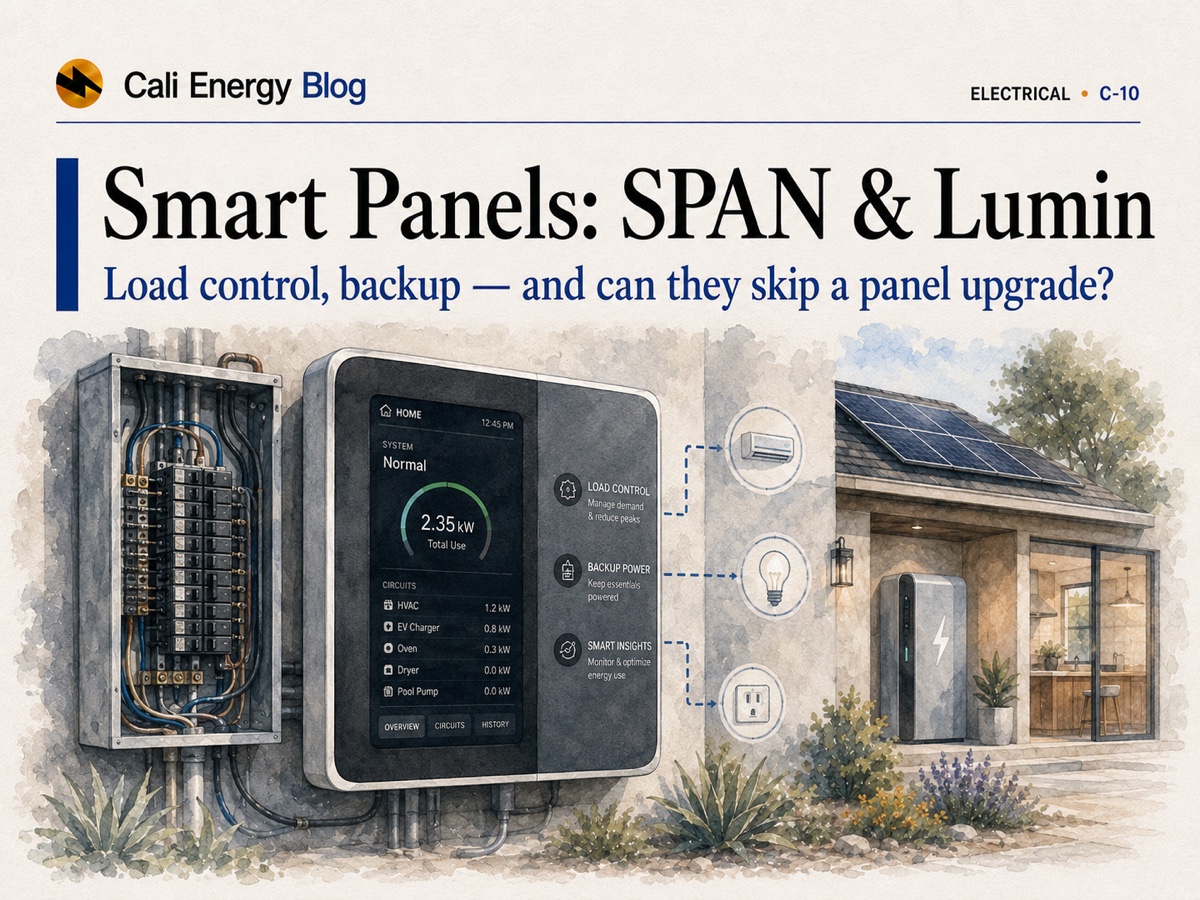
- A smart panel adds circuit-level monitoring, app control and automatic load-shedding. SPAN replaces the main panel (16–48 controllable circuits by model); Lumin mounts beside your existing panel and controls up to 12 circuits.
- For new loads such as an EV charger or heat pump, the 2023 NEC — the basis of California’s electrical code since January 1, 2026 — lets the load calculation use an energy management system’s setpoint (220.70), which can avoid a service upgrade.
- For solar, the busbar rule still applies: 125% of the inverter’s output current plus the main breaker may not exceed 120% of the busbar rating — a 7.68 kW inverter on a 200 A panel with a 200 A main. Only a system that limits busbar current under 705.13, such as a listed power control system, changes that math.
- For backup, the code lets a battery connect more of the house than it can carry at once if an energy management system keeps the load within its capacity (702.4(A)(2)) — the job smart panels and battery load controllers do.
- SPAN lists its panel from $2,550 before installation; a standard 200 A panel replacement typically runs $3,000–4,500 in our 2026 work (a typical range, not a quote).
What a smart electrical panel actually is
A standard breaker panel splits incoming power into circuits and trips a breaker when one draws too much. A smart panel keeps that job and adds sensing, software and remote control.
Three things set it apart. Circuit-level monitoring: real-time and historical use for each circuit in an app, instead of one whole-home number. App control: switch and schedule individual circuits from a phone. And automatic load management: the panel sheds lower-priority circuits on its own to stay under a limit you set, or under what a battery can supply.
Two products show the two approaches. SPAN replaces the main panel; its current line covers five models (MAIN 16, 32 and 40, and main-lug MLO 24 and 48) with 16 to 48 controllable circuits (SPAN), and SPAN says its four newest models were the first smart panels certified to UL 3141 for power control, in October 2025 (SPAN announcement). Lumin goes the other way: the Lumin Smart Panel mounts beside the existing panel, works with any make of panel, controls up to 12 circuits, and is listed to UL 916, the safety standard for energy management equipment (Lumin spec sheet). Battery makers build lighter versions of the same idea into their systems: FranklinWH’s aGate offers automatic load shedding and optional Smart Circuits (FranklinWH), and Enphase’s IQ Load Controller can shed up to two 240 V or four 120 V loads during an outage (Enphase).
Smart panel vs standard panel, side by side
What you gain, what the code says about it, and what it costs.
| Factor | Standard panel | Smart panel |
|---|---|---|
| Monitoring | Whole-home only, from the utility meter | Per circuit, real-time and historical, in an app |
| Control | Breakers switched by hand | Circuits switched and scheduled remotely |
| Adding a big load (EV, heat pump) | May need a service upgrade if the load calculation doesn’t fit | An energy management system can cap the service, and the load calculation may use its setpoint (220.70) — a load-side fix |
| Fitting more solar (source side) | The 120% busbar rule (705.12(B)(2)): 7.68 kW on a 200/200 A panel | Unchanged, unless the device is set up to limit busbar current under 705.13 — typically a listed power control system — and plan review accepts it |
| Backup | A fixed critical-loads subpanel chosen up front | Automatic shedding, so a battery can back up more circuits within its capacity (702.4(A)(2)) |
| Cost | Replacement typically $3,000–4,500 in our 2026 work; national median $3,500 | SPAN panel from $2,550 plus installation; Lumin through certified installers |
| Best fit | You need working capacity and have no solar, battery or EV plans | You have or are adding solar, a battery or an EV and want monitoring, control and automation |
Sources: NFPA 70 (2023 NEC), the basis of the 2025 California Electrical Code · SPAN · Lumin · Berkeley Lab (2026). Cost ranges are typical, not quotes; your panel, the permit and your building department decide the rest.
How a smart panel helps a solar project (read this part carefully)
Marketing and code diverge here. A smart panel can help a solar or battery project, but how depends on whether the problem is a load or a source.
Grid-tied solar feeds power into the panel through a backfeed breaker, which makes it a source. Where the utility feeds one end of the busbar and the solar the other, the 2023 NEC caps the combination: 125% of the inverter’s output current plus the main breaker rating may not exceed 120% of the busbar rating (705.12(B)(2); see the busbar table in the California Solar Permitting Guidebook). On a common 200 A busbar with a 200 A main that leaves 40 A, which is 32 A of continuous inverter current — about 7.68 kW at 240 V. An EV charger or heat pump is the opposite, a load, judged by the Article 220 load calculation.
A load-shedding panel manages loads. Under 2023 NEC 220.70, if an energy management system limits the current to a feeder or service as 750.30 describes, the load calculation may use the system’s setpoint — which is how a smart panel can let you add an EV charger without a bigger service (NFPA 70). Shedding loads for backup or an EV doesn’t, by itself, change the busbar arithmetic for solar. What can is a system that limits the current on the busbar: the 2023 NEC’s 705.13 permits an energy management system meeting 750.30 to “limit current and loading on the busbars and conductors supplied by the output of one or more interconnected electric power production or energy storage sources,” and a listed power control system is one kind of such system (City of Phoenix interpretation). UL 3141, UL’s outline for power control systems first published in October 2024, covers devices that electronically limit current or power to stay within defined limits — and a PCS may be evaluated for import and export limiting, for NEC overload protection, or both (UL). So the question is not whether a panel is “smart” but what its listing covers, how it is set up, and whether plan review accepts it.
“Smart” on the label doesn’t lift the solar limit
SPAN reports that its newest panels are certified to UL 3141 for power control. Lumin’s spec sheet lists UL 916, the standard for energy management equipment, and Lumin describes its load management as keeping connected loads within the service panel’s capacity. Some battery systems carry a power-control listing too: Tesla’s Powerwall 3 and FranklinWH’s aGate list UL 1741 PCS (Tesla, FranklinWH). Whether a given setup frees busbar room depends on what the listing covers, the code edition your permit falls under, and the building department’s plan review. For the full menu of ways to avoid an upgrade — a smaller main breaker, a supply-side connection and more — see how to add solar without a main-panel upgrade; to check whether you need one at all, do you need a main-panel upgrade for solar?
How a smart panel helps battery backup
For most homeowners this is the clearest win: the panel decides, moment to moment, what stays on.
In an outage a battery can supply only so much power at once, and the code’s rule for automatically connected backup reflects that. The backup source has to carry the full load it connects — or, where an energy management system under 750.30 manages the connected load, the maximum load that system will connect (2023 NEC 702.4(A)(2)). North Carolina’s fire marshal has applied the rule to home batteries that back up a house through a transfer switch: the system may be smaller than the full load only with a properly installed energy management system (NC OSFM). The traditional answer is a critical-loads subpanel. A smart panel replaces that fixed choice with ranking: you set priorities, and during an outage it sheds the big discretionary loads — EV charging, the dryer, a second air conditioner — when the battery can’t carry everything, then restores them.
SPAN advertises that its load control extends battery life by 40% during an outage (SPAN). That is the maker’s claim; the real gain depends on which loads you would otherwise leave running. Lumin and the batteries’ own controllers do a similar job. Which architecture fits — critical loads, a smart panel, or full whole-home backup — is covered in whole-home vs critical-loads backup. A smart panel manages how loads are fed; it doesn’t change the battery’s own power rating.
SPAN vs Lumin: two different approaches
One replaces your panel; the other adds control beside it.
| SPAN Panel | Lumin Smart Panel | |
|---|---|---|
| Approach | Replaces the main panel | Mounts beside the existing panel; works with any make |
| Circuits controlled | 16–48, by model | Up to 12 |
| Listing | Four newest models certified to UL 3141 for power control (October 2025) | UL 916, energy management equipment |
| Installation | A main-panel replacement, with the permit and inspection any panel swap needs | Typically 1.5–4 hours, by a Lumin-certified installer |
| Price | From $2,550 for the panel, plus installation, taxes and shipping | Installed quote through a certified installer |
| Best when | The panel is due for replacement, or you are rebuilding around solar, a battery and an EV | The panel is healthy and you want control of a handful of circuits |
Sources: SPAN · SPAN UL 3141 announcement · Lumin Smart Panel technical specifications. Specifications change; confirm the current datasheet and get an installed quote for your home.
If the existing panel is healthy and you can name the handful of circuits you would manage, an add-on like Lumin is the smaller job. If the panel is old or full, or you are rebuilding the electrical layout around solar, a battery and an EV anyway, a full smart-panel replacement does two jobs at once, because you were paying for a new panel regardless.
What it costs vs a standard panel
A standard 200 A main-panel replacement typically runs $3,000–4,500 in our 2026 work, permit included (a typical range, not a quote); a 2026 Berkeley Lab survey of contractors put the national median for a single-family main-panel replacement at $3,500 (Berkeley Lab). The full picture is in main panel upgrade cost in Los Angeles. SPAN lists its panel from $2,550 before installation, taxes and shipping, so a SPAN install is that hardware plus the same kind of labor, permit and service work. Lumin is sold through certified installers; ask for an installed quote. The premium is easiest to justify when it does double duty: replacing a panel that needed replacing anyway, or unlocking backup and EV plans you would otherwise pay to solve separately.
The trade-offs, honestly
A smart panel is useful, but it isn’t free and it isn’t magic.
Real monitoring
Per-circuit visibility shows what actually uses power, which helps on time-of-use rates and when planning an EV or heat pump.
Smarter backup
Automatic shedding lets a smaller battery cover more of the house — often the best single reason to buy one.
Fewer boxes on the wall
A managed panel can replace a separate critical-loads subpanel, which can simplify a solar-plus-battery install.
Higher cost
You pay a premium over a standard panel for the hardware, the commissioning and an installer trained on the platform.
Added complexity
Software and connectivity mean firmware updates and the occasional support call that a purely mechanical panel never needs.
Not an automatic code fix
The “avoid an upgrade” benefit depends on load vs source, the device’s listing, the code edition and plan review. Don’t buy one assuming it lifts a solar busbar limit.
A smart panel usually pays off when it does more than one job
It tends to make sense if you are adding a battery and want longer backup from a smaller unit; if your panel is due for replacement anyway; if you are electrifying — EV, heat pump, induction — and want to manage loads instead of upsizing the service; or if you value circuit-level monitoring and control for its own sake. It is usually not worth it if you have no solar, battery or EV plans and just need working capacity. And never buy one solely on the promise that it “avoids a panel upgrade” for solar without a licensed electrician checking the listing and running the calculation.
Ask us whether a smart panel fits your planBottom line
A smart electrical panel is three upgrades in one box — monitoring, control and automatic load-shedding — and for homes adding solar, a battery or an EV it can earn its premium, mostly by stretching a smaller battery further and by managing new loads without a bigger service. Keep the electrical claim honest: a plain smart panel manages loads; room for more solar takes a device listed as a power control system, and even then the listing, the code edition and plan review decide, not a brochure. We hold a California C-10 electrical classification (CSLB #1032379), so the load and busbar calculations are done in-house.
Get a straight answer on smart panelsFrequently asked
What is a smart electrical panel?
A breaker panel that also measures each circuit, lets you switch and schedule circuits from an app, and sheds lower-priority circuits automatically to stay under a limit or within what a battery can supply. SPAN replaces the main panel (16–48 controllable circuits by model); Lumin mounts beside the existing panel and controls up to 12 circuits.
Does a smart panel let me add solar without a panel upgrade?
Not by itself. Solar is a source, and the busbar rule caps 125% of the inverter’s output current plus the main breaker at 120% of the busbar rating (NEC 705.12(B)(2)) — about 7.68 kW on a 200 A panel with a 200 A main. Shedding loads doesn’t change that. A system set up to limit the busbar current under 705.13 — typically a listed power control system — can, if plan review accepts it; SPAN reports UL 3141 certification for its newest panels. See adding solar without a panel upgrade.
Can a smart panel let me add an EV charger without a service upgrade?
Often it can. Under the 2023 NEC, which has been the basis of California’s electrical code since January 1, 2026, an energy management system that limits the current to a service (750.30) lets the load calculation use its setpoint (220.70). The electrician still runs the calculation and the building department reviews it. More in Level 2 EV charger cost in Los Angeles.
Will a smart panel make my battery backup last longer?
It can. During an outage it sheds low-priority circuits — EV charging, the dryer, a second air conditioner — so a smaller battery covers more of the house. The code allows a backup source smaller than the full connected load when an energy management system keeps the load within its capacity (NEC 702.4(A)(2)). SPAN advertises 40% longer battery life; that is the maker’s claim, and the gain depends on your loads.
SPAN vs Lumin — what's the difference?
SPAN replaces your main panel (16–48 controllable circuits; its newest models are certified to UL 3141 for power control). Lumin mounts beside your existing panel, controls up to 12 circuits and is listed as energy management equipment (UL 916). SPAN suits a panel that is due for replacement; Lumin suits a healthy panel where you want control of a few circuits.
How much does a smart panel cost?
SPAN lists its panel from $2,550 before installation, taxes and shipping; Lumin is priced by its certified installers. For comparison, a standard 200 A panel replacement typically runs $3,000–4,500 in our 2026 work (a typical range, not a quote), and a 2026 Berkeley Lab survey found a national median of $3,500. The smart premium is easiest to justify when the panel needed replacing anyway.
Is a smart panel worth it if I don't have solar or a battery?
Usually not on cost alone. If you have no solar, battery or EV plans and just need working capacity, a standard panel does that for less. A smart panel earns its premium when it does more than one job — longer backup from a smaller battery, load management instead of a service upgrade, or circuit monitoring you will actually use.
Related reading
Sources & methodology
Figures on this page come from the primary sources below and, where noted, from Cali Energy calculations using the stated assumptions. Rates, incentives, and program terms change; each was verified September 30, 2026.
- SPAN — SPAN Panel (models, controllable circuits, starting price)
- SPAN — Smart panels earn UL 3141 Power Control Systems certification (October 1, 2025)
- Lumin — Lumin Smart Panel technical specifications, indoor (August 2025)
- UL — UL 3141, Outline of Investigation for Power Control Systems
- NFPA 70 (National Electrical Code) — free read-only access (220.70, 702.4, 705.12, 705.13, 750.30)
- California Building Standards Commission — 2025 Title 24 code changes (California Electrical Code based on the 2023 NEC)
- City of Phoenix — Power Control Systems interpretation (June 2024), quoting 2020 and 2023 NEC 705.13
- California Solar Permitting Guidebook — Table 4, maximum combined supply OCPDs by busbar rating
- North Carolina OSFM — Formal interpretation of 2023 NEC 702.4(A)(2)
- Tesla — Powerwall 3 datasheet (certifications include UL 1741 PCS)
- FranklinWH — aGate X datasheet (automatic load shedding, Smart Circuits, UL 1741 PCS)
- Enphase — IQ Load Controller datasheet
- Lawrence Berkeley National Laboratory — Understanding the Costs and Barriers of Residential Electrical Panel and Service Upgrades (2026)
Not sure a smart panel is worth it?
Tell us your panel and whether you’re adding solar, a battery or an EV, and we’ll run the load and busbar numbers and say plainly whether a smart panel helps your project or just adds cost — no pressure.
Get a free estimatePrepared by Cali Energy, September 30, 2026. This article is for general educational purposes only and is not legal, tax, financial, engineering, or utility advice. Rates, incentives, codes, permit requirements, equipment specifications, prices, and program terms may change; figures and timelines are estimates, not guarantees. Confirm current requirements with the applicable utility, AHJ, program administrator, manufacturer, or a licensed professional. See our Content Disclaimer. Cali Energy · 19201 Parthenia St, Unit E, Northridge, CA 91324 · CSLB #1032379 (B, C-10, C-39)